Rides and statistics

Every ride has a story.

Return to recorded routes, review the course of a trip and keep your rides together in one clear view.

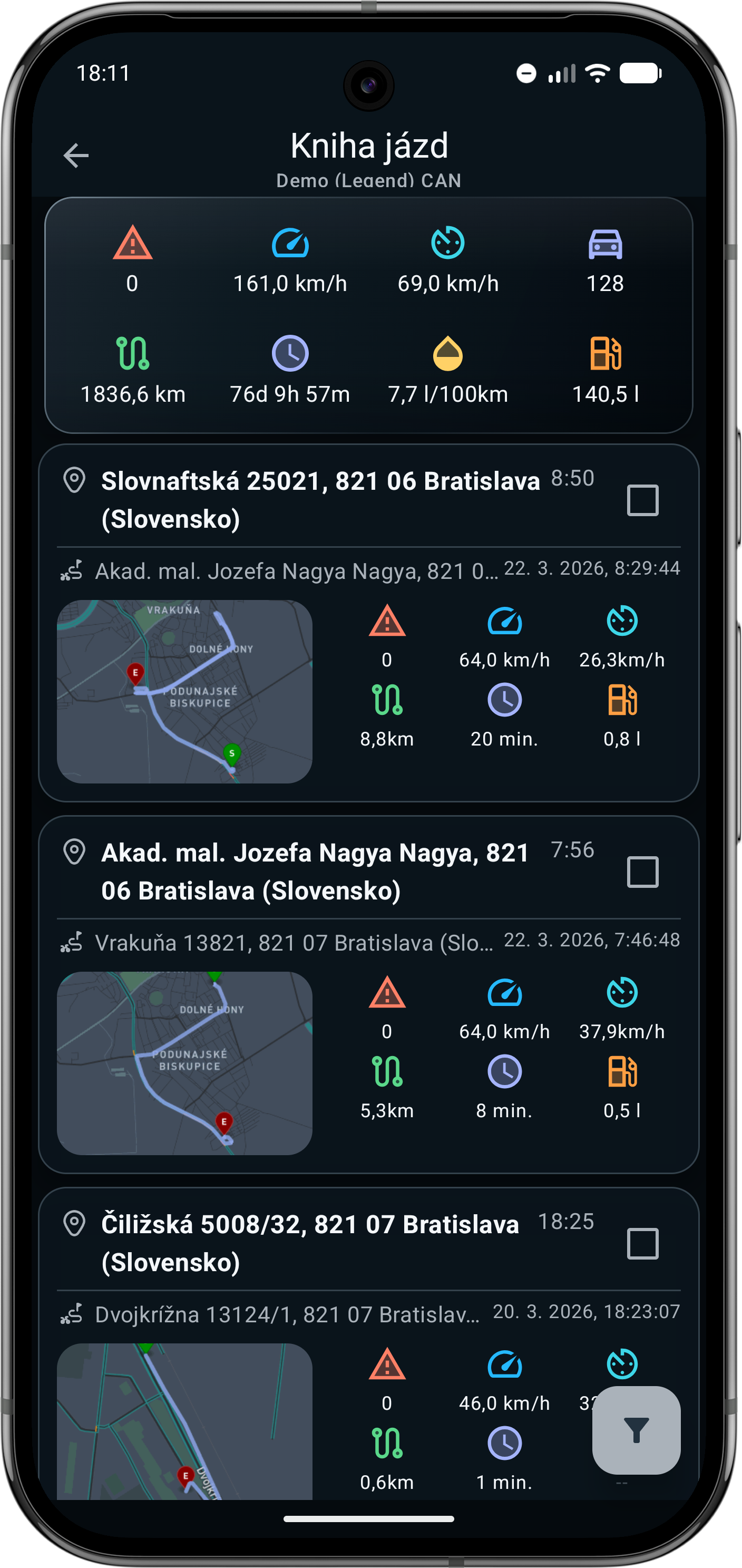
After parking, you will find the trip in the ride log. Open its detail, route map and the data that was successfully recorded.

Ride log in the Sentrymo app
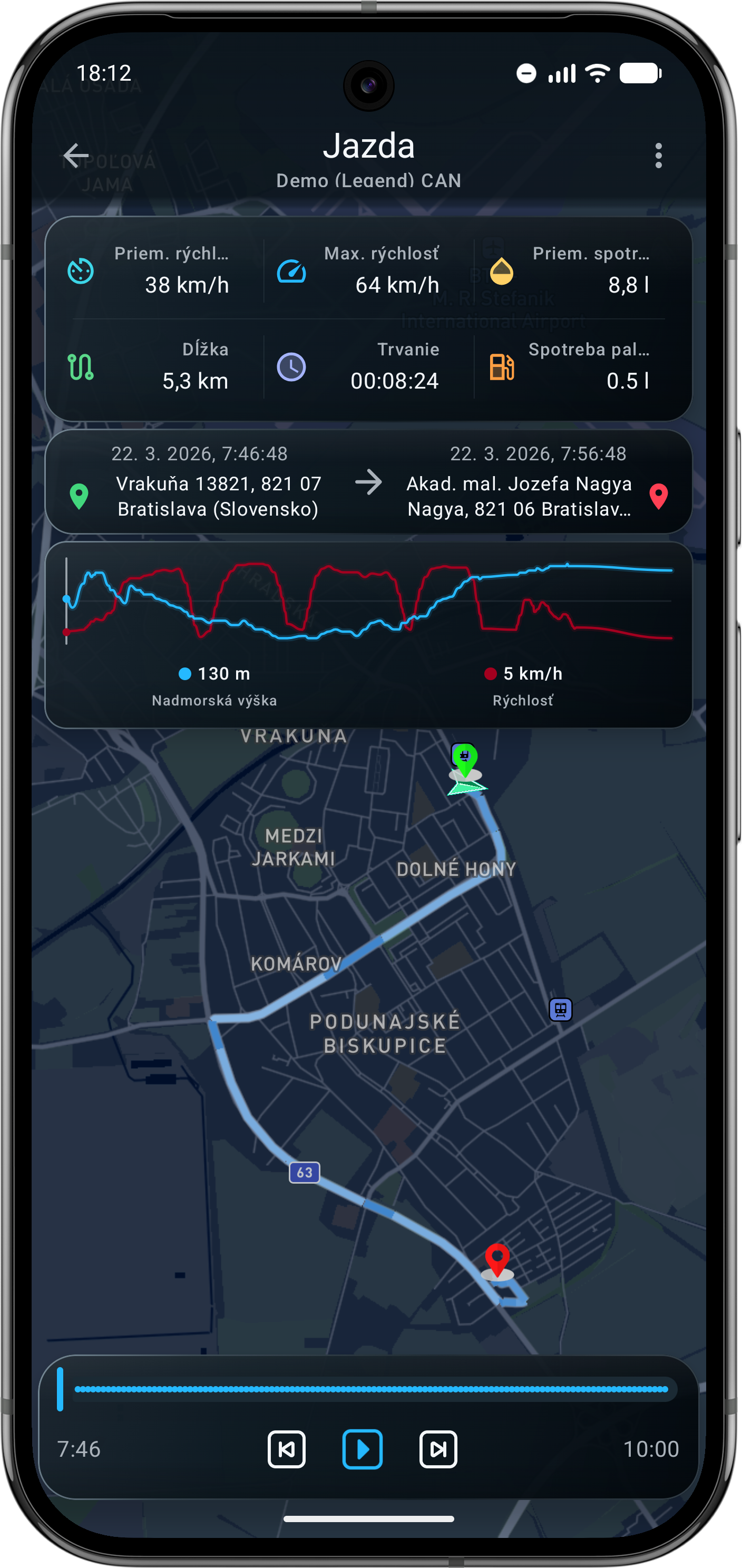
Recorded ride detail with a route map in the Sentrymo app

01

From the list to the route detail

The ride log combines a chronological list with route details. For a single ride, you can follow its course on the map and work with the available data.

Routes and statistics are shown from the data Sentrymo has available for that ride.1

  1. Part of a record may be temporarily missing, for example when GPS or data connectivity is unavailable. If the data arrives later, the ride can be completed automatically.

02

What you can review after a ride

Ride list

Filter rides by period and open one ride or a selected set.

Route and playback

The detail shows available GPS points on a map and can play back the recorded course.

Ride data

Depending on the record, see duration, distance, average speed and maximum speed.

Sharing and export

Share one ride by public link or image, and save one or more rides as a GPX file.

03

The trip ends. The story remains.

The whole workflow stays simple and takes place in the app.

01

Choose the motorcycle

Open the ride log for a specific vehicle.

02

Find the trip

Use a period or areas and select the ride you want to explore.

03

Open the detail

Review the route, playback and available statistics on the map.

04

Share or export

Create a link, image or GPX file. Importing GPX into another compatible service is a separate step, not automatic synchronisation.

04

One ride is not the whole motorcycle

A public link to one ride is different from giving another user ongoing access to the position of a selected vehicle.

How motorcycle sharing works

Service availability

Which plan includes this feature?

Availability is loaded from Sentrymo's current offer. Related features may be included in different plans.

Loading current plan availability.
Compare plans

FAQ

More questions and answers

Where can I find my rides?
Open the ride log for the selected vehicle in the app. You can filter the list by period and areas.
Why can a route be incomplete?
Some GPS points may be missing or arrive later. The app marks an incomplete ride and may fill it in when the data arrives.
How can I share or export a ride?
For one ride, create a public link or image. Selected rides can be exported to GPX and then used in a compatible service.
How do I receive the weekly report?
The weekly ride report is a separate feature available according to the current plan and account setting. It is sent by email when rides are available for that week.
More questions and answers

Return to the road, not the guesswork.

Explore the Sentrymo app and compare the current ride history, reporting and export scope across plans.

Tell me more

Tell me what you ride and what you expect from Sentrymo. I'll help with the unit, installation and whether Sentrymo is right for you.

Required fields are marked.

We use the form data only to process this submission and related obligations. Personal data processing details.