
Fuel
Quantity, price, fuel type, odometer and whether the tank was filled completely.
Expenses
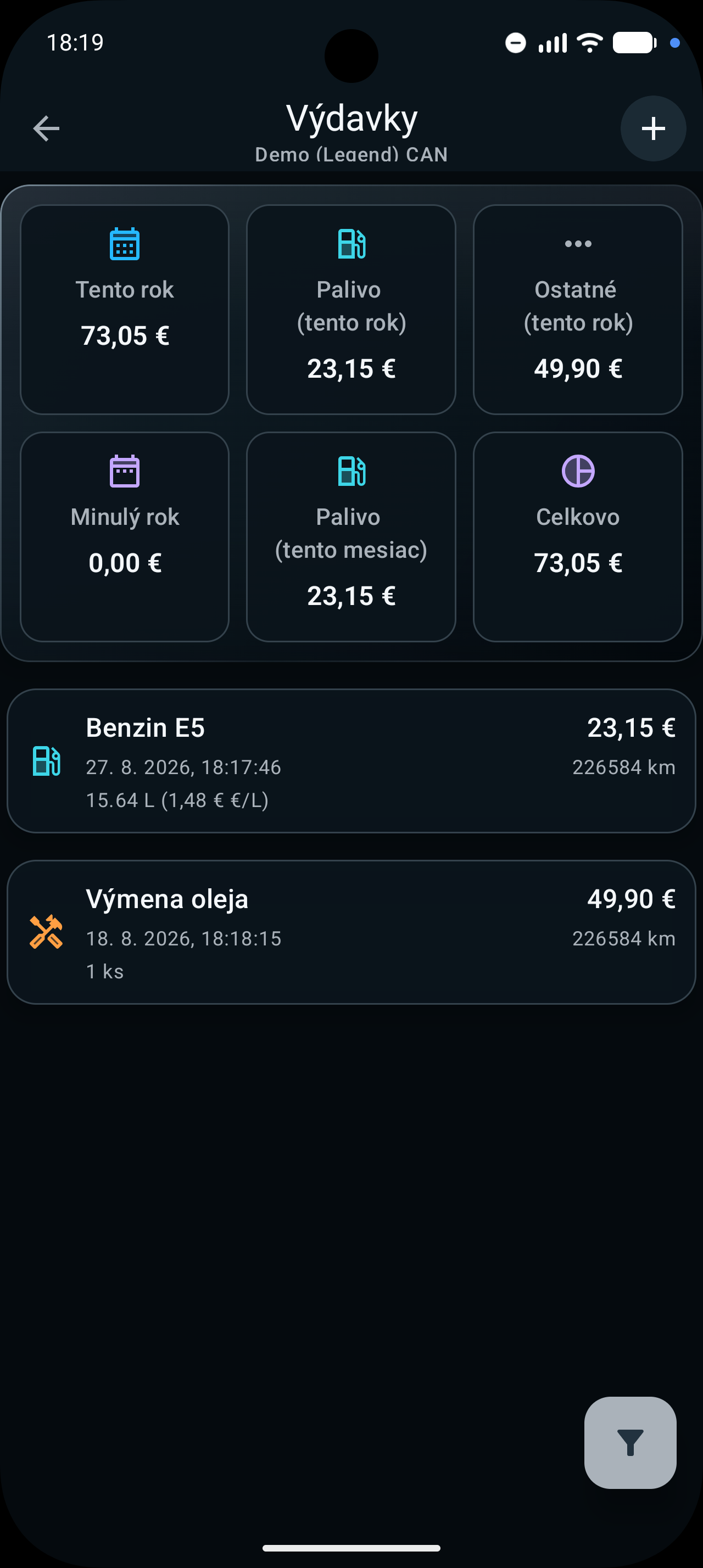
Fuel, service and other motorcycle costs can live together in one place.
Every record belongs to a specific vehicle. Add a date, item, amount, currency and further details relevant to the expense type.
01
The list combines category and period filters with summaries for this year, last year, fuel and the current selection.
02
Quantity, price, fuel type, odometer and whether the tank was filled completely.
Service, recurring fees, insurance, parking, road tax, tolls and other costs.
Filter expenses and review total, yearly and fuel summaries in the primary currency.
Scan the QR code on a Slovak eKasa receipt, select an item and check the imported data.
03
Enter an expense manually or start with a supported eKasa QR scan.
Choose the motorcycle to which the cost belongs.
Add a name, date, price, currency, quantity or odometer as needed.
After a scan, select a recognised receipt item and verify transferred values before saving.
Use a period or category and review available summaries for that vehicle.
04
Return to recorded costs just as you return to the routes and statistics from your trips.
Service availability
Availability reflects Sentrymo's current offer. Related features may be included in different plans.
FAQ
Explore the app and compare plans that include expense tracking and receipt scanning.